


Canva Japan, the Japanese subsidiary of the world-renowned design tool Canva, has launched a new feature. This feature allows users to directly print their created designs on multi-function printers located at Seven-Eleven stores nationwide in Japan.
This system was realized through the cooperation of Fujifilm Business Innovation, a major Japanese multifunction printer manufacturer. This is a highly innovative update for creators and business people alike. Approximately 21,000 stores across Japan, open 24 hours a day, 365 days a year, become your office printer.
Seamless Connection from App to Store
Japanese convenience stores, often called “Konbini,” are more than just grocery stores. They are local life infrastructures where you can obtain residence certificates and purchase tickets.
Until now, “Konbini printing” required steps like saving a file and then uploading it to a dedicated app. However, this collaboration significantly reduces that effort. You can now create a design in Canva and issue a QR code or reservation number for printing directly from there.
In Japanese Konbini culture, printing documents or tickets while shopping is a common sight. By directly connecting the “design creation” process to this, the speed of shaping ideas is dramatically accelerated.
No Need for “PDF to USB”

The process for Canva users to print at Seven-Eleven used to be complex.
First, you had to export the design as a PDF file, then save it to a USB flash drive and bring it to the store, or upload it via a net print site.
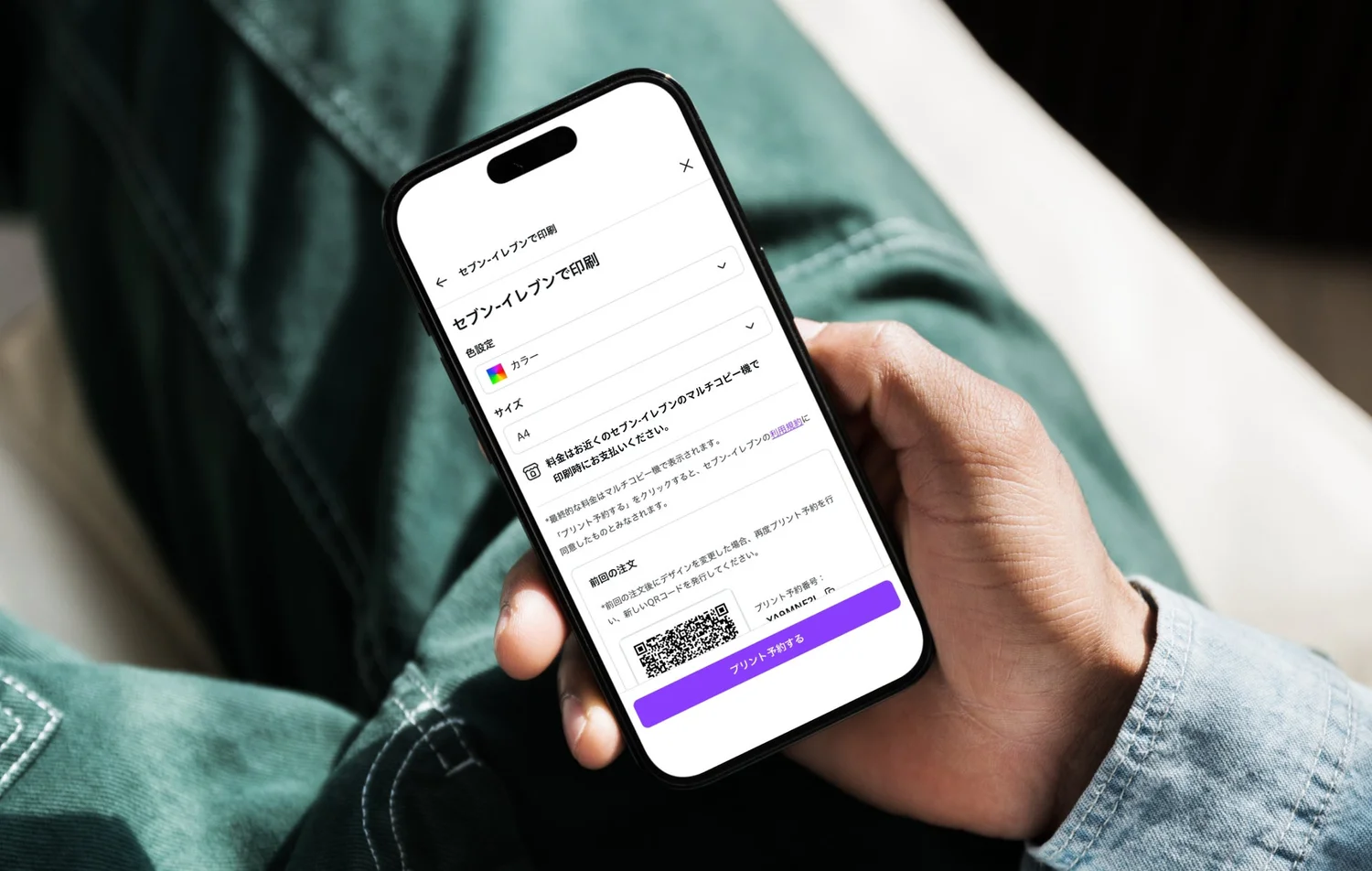
With the implementation of this new feature, the process of “exporting once” becomes unnecessary. You can generate a QR code for print ordering or a print reservation number directly from the Canva screen. In short, all you need is a smartphone or PC to be ready.
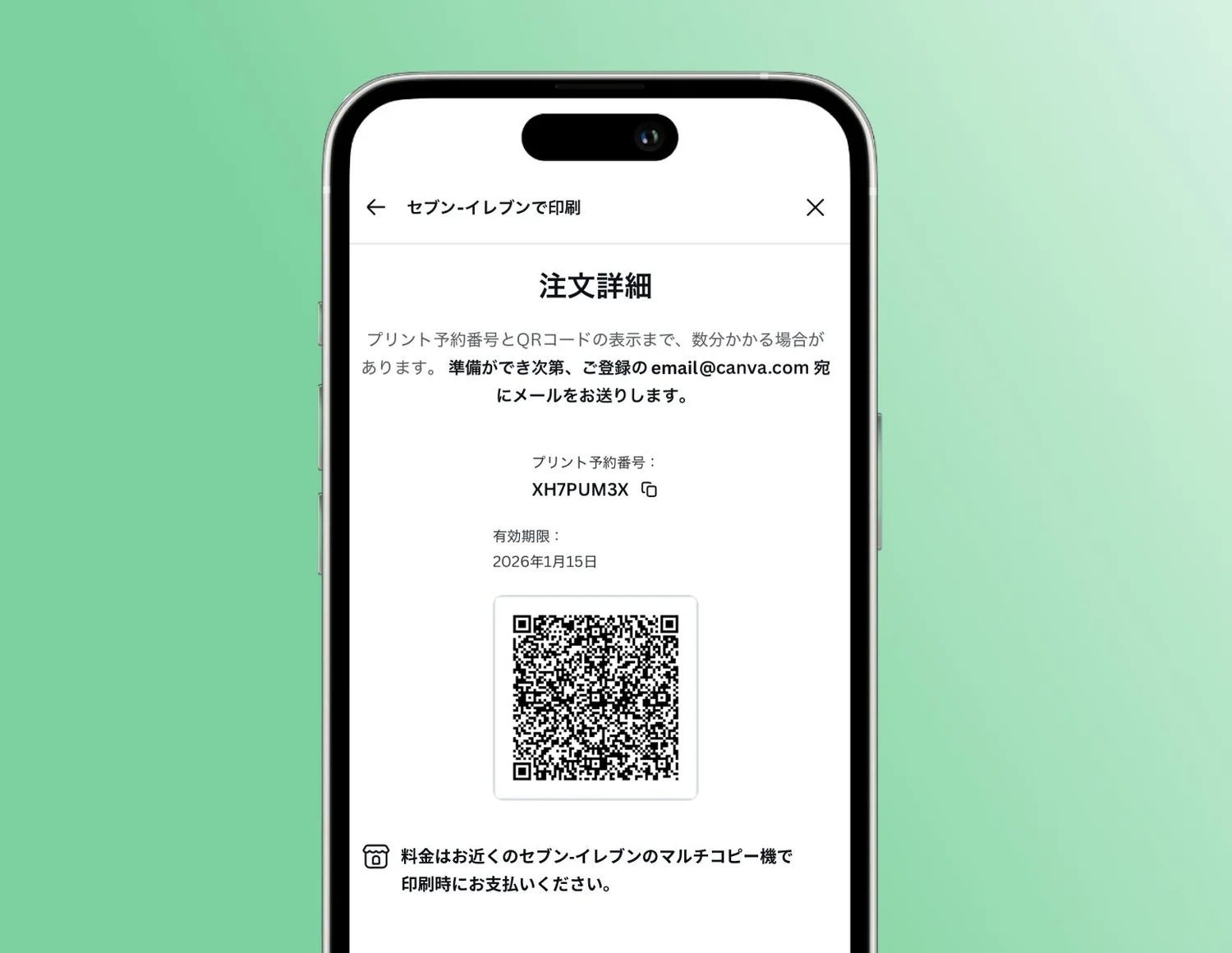
All that’s left is to head to a nearby Seven-Eleven and scan the QR code on the multi-function printer. This speed is a powerful weapon for urgent document creation or sudden printing needs while on the go.
Supports A4 and A3 Sizes
The supported sizes are the following two types, which are most frequently used for business and notices.
- A4 size (210 x 297 mm / 8.3 x 11.7 in)
- A3 size (297 x 420 mm / 11.7 x 16.5 in)
This covers a wide range of uses, from meeting materials and presentation handouts to in-store POP displays, posters, and event flyers. The ability to easily output large sizes like A3 is a strength unique to multi-function printers in Japanese convenience stores, which home printers often lack.
Infrastructure Accelerating the Democratization of Creativity
Atsushi Takahashi, Country Manager of Canva Japan, speaks about this collaboration as follows:
“We aim to make the transition from ideas to tangible forms smoother.”
Taking an idea that pops into your head, shaping it into a design, and outputting it as physical paper. Removing barriers in this sequence is an important step in promoting the “Democratization of Design” that Canva advocates. An environment where you can complete the output process the moment you think of it, regardless of location or time, will surely support many creators.
Easy to Try Now

Until now, you might have left your designs in digital form because “printing settings are a hassle.” However, with the hurdles lowered this much, it becomes easier to use it casually, such as printing just to check it in your hands.
Specific usage methods and procedures are introduced in detail in the official guide below. First, try printing out a design stored on your smartphone. Seeing your work on paper should show you a different expression of it.
Post a Comment