


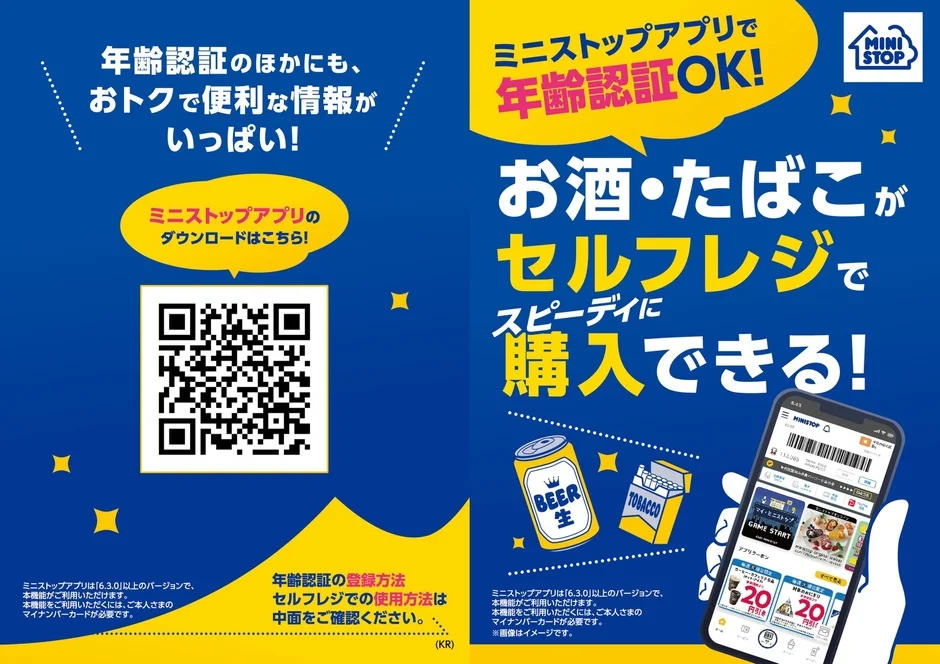
Ministop, a Japanese convenience store chain, has launched a new demonstration experiment that drastically changes the shopping experience at self-checkout registers.
This new system allows users to complete age verification in advance using the “Ministop App” on their smartphones. This eliminates the need for store staff to confirm age when purchasing alcohol or tobacco at self-checkout registers. This can be described as a long-awaited system for users seeking smooth and quick checkout.
Age Verification Service at Self-Checkout Starts Early
The experiment starting this time will be conducted only at specific stores. The target stores and start dates/times are as follows:
It will begin at 2:00 PM (14:00) on Thursday, January 22nd, at the Kanda Nishikicho 1-chome store in Tokyo. Also, it will begin at 2:00 PM (14:00) on Friday, January 23rd, at the Chiba Chuo Nittacho store in Chiba Prefecture.
By using this service, there is no longer a need to wait for a store clerk to rush from the back room to press the age confirmation button, as was previously the case. Customers can complete their checkout speedily and entirely at their own pace. Japanese convenience stores (Konbini) are becoming even more convenient with this system.

Pre-registration in the App is Required for Use
To use this convenient feature, settings must be configured in advance within the “Ministop App.”
You need to register your “My Number Card” (an individual number card issued by the Japanese government) and facial information to complete age verification. The registered information is saved only within the smartphone device. The specifications ensure that personal information does not remain on Ministop’s servers. Therefore, security measures are taken into account, allowing for safe use.
Note that app version 6.3.0 or higher is required to use this feature.
Registration Steps in the App
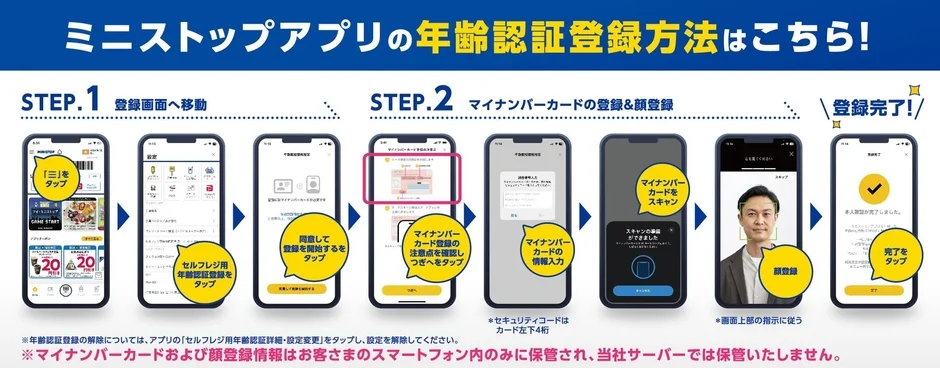
Step 1: Preparing the App First, open the Ministop App. Tap the menu button “≡” at the top left of the home screen. Next, tap the item labeled “Age Verification for Self-Checkout.” Agree to the terms of service and start registration.
Step 2: Reading the My Number Card Have your My Number Card ready. Check the notes and proceed to “Next.” After entering the card information, scan the My Number Card with your smartphone. Finally, perform facial registration, and preparation is complete.
Actual Usage Image
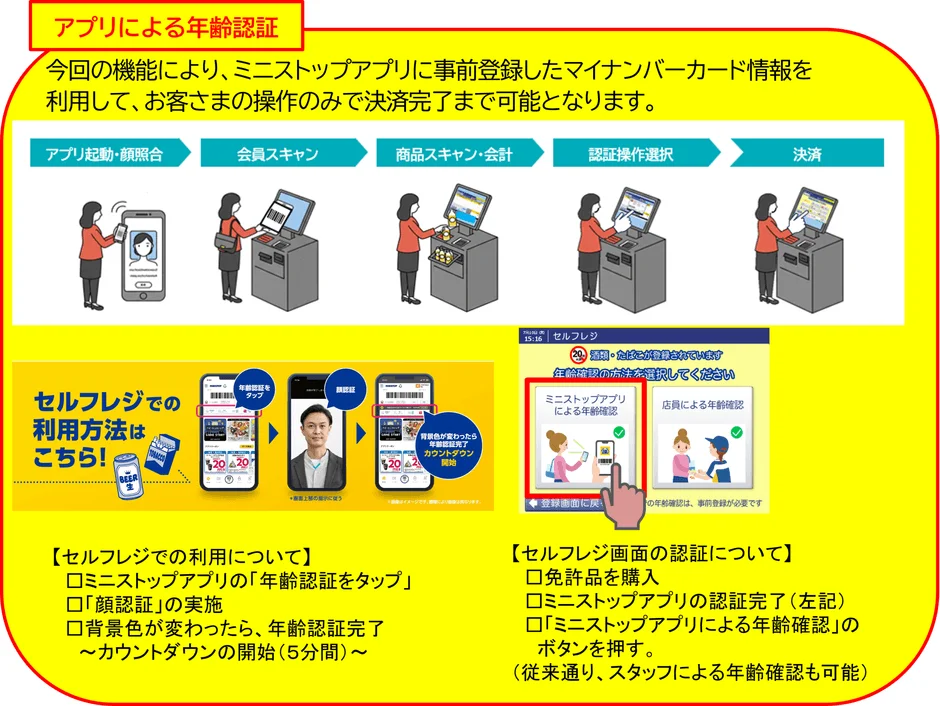
At the store register, simply scan your age-verified app membership card. The system automatically determines that “Age Verification is Complete.” This unlocks the purchase of age-restricted items like alcohol and tobacco, allowing you to proceed directly to payment.
This feature truly embodies “convenience.” If you live near the test stores or work nearby, please try this new shopping experience. Japanese technology is making daily shopping more comfortable.
Post a Comment